



Google always surprises its users with awesome search functionalities. This time it has come up with the People Card feature. In this blog post, we will talk more about this recently added feature.
Google has become part of daily life for many people around the globe. From searching about a celebrity to looking for a nearby restaurant, checking updates on COVID 19, so on, and so forth. It gives excellent and relevant search results to people as well as give way to earn bread and butter to many professionals working in SEO companies.
Google also brings many updates, which often bother SEO experts as they need to learn about some new quality criteria, some new updates, and again go through the test and tune process to run their marketing campaigns. Also, usually, all updates in the Google algorithm start from Google US. However, this time, something new has come up and it will not at all bother any SEO expert or SEO agency. Also, this time this update or new feature is launched exclusively for Indian users.
People Card
People Card is the brand new feature, which can be used by Indian individuals to create their virtual cards.
When will it be used?
It will be shown to the searcher when someone searches with the name of that person. More specifically, first name and last name if self-branding activities are not performed. For example, Ashvini Vyas if you search for my name.
Who can get benefited?
Everyone, who likes to build a strong self-brand; and who doesn’t want to have it?
The question is who can get more benefits by having a people card. Here is the list of people that can leverage more benefits by creating a people’s card, i.e., virtual visiting card.
- Influencers
- Entrepreneurs
- Freelancers
- Self-employed professionals
- Business professionals
- Job seekers
- Recruiters
- Consultants
- Digital marketing experts
- And more
How to create a People Card for Yourself?
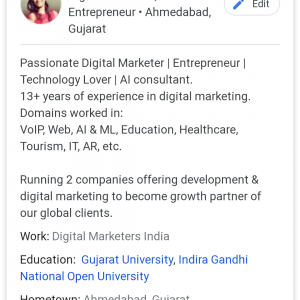
I am sure you must be very excited to create your visiting card to be shown on Google like this:
What do you need?
Before getting into the guide of creating this card, you need to know what you will need. It is like knowing the ingredients and grabbing them before start cooking a new recipe. Here is what you will need:
- A smartphone with internet connection aka data to use the internet
- Browser
- Phone number (I know it is obvious, but salt is also obvious and always mentioned in the ingredients)
- Google account, i.e., Gmail account to keep it simpler to understand
Information you need to keep on hand:
- Location
- Native location
- About you (350 characters)
- University name you graduated/mastered from
- Name of the company you work at
- Occupation
- Website URL
- Social profile links (Facebook, Twitter, LinkedIn, YouTube, Instagram, Pinterest, SoundCloud
- Phone number
- Email address
A stepwise guide to creating a virtual visiting card using “Add Me to Search” – People Card Feature:
First of all, this feature is available in India only, so keep this in mind as of now. Also, for one Google account or phone number, you can create a single card.
Let’s begin:
- Open the browser on your smartphone (This feature is not available for desktop users)
- Open Google (it will be Google.co.in as it is in India). Make sure you are signed in to Google account.
- Write “add me to search” without or with quotes does not matter. In the very first result, you will see a button “Get Started” at the right bottom corner of the first result.

- You need to verify your phone number. Do not worry, it will not make your number public. Click on the flag and select your country out of all. Write the phone number and click next.
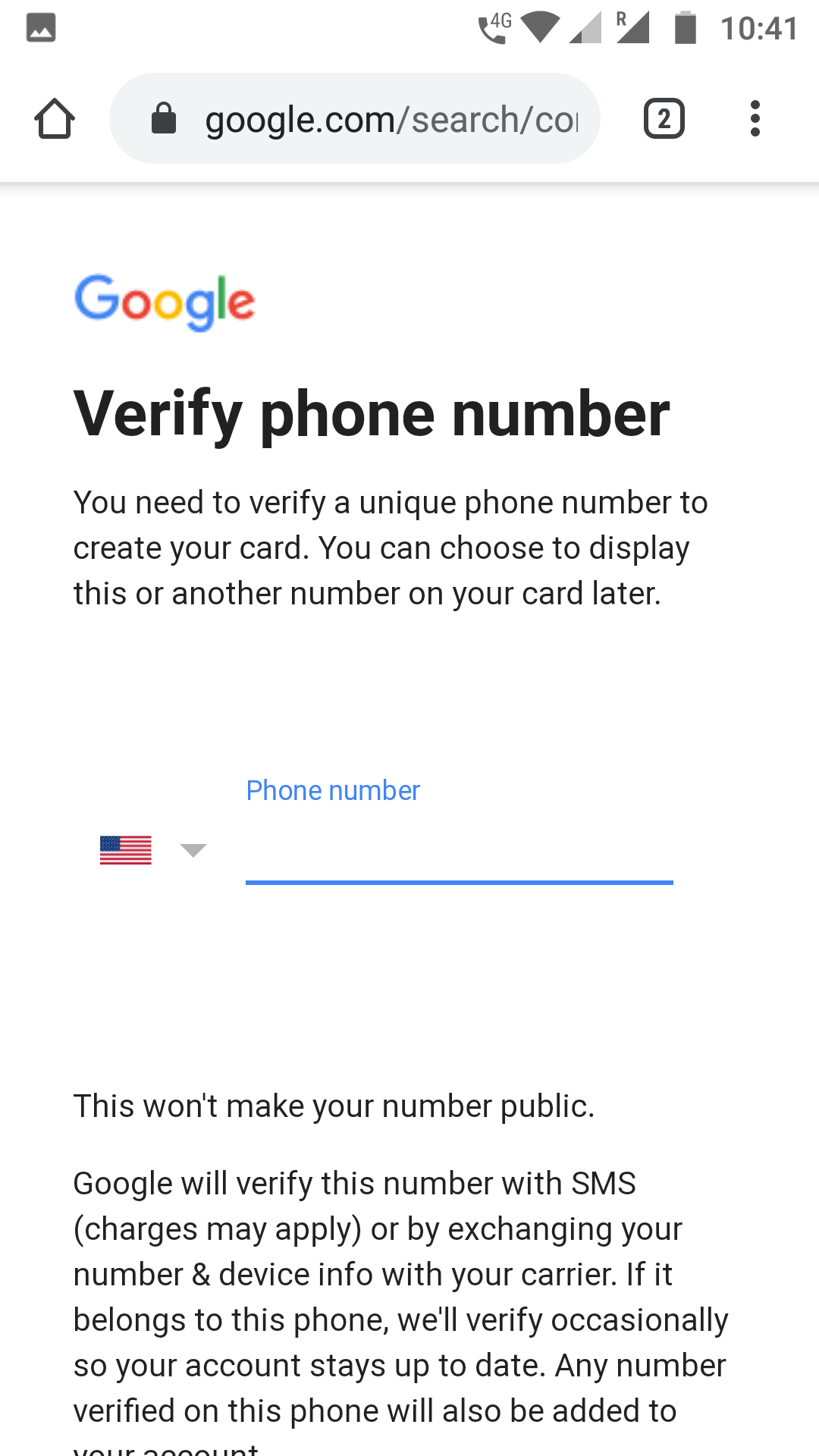
- Google will send an SMS with a verification code. Add that code in the text box and click on Next. In case, if you have not received a verification code within a minute, click Re-send and follow the same process.

- The second screen will have multiple fields about you as mentioned in the “Information you need on hand” section. Fill in as much information as you have and click on the “Preview”.
You are done. You have created your virtual visiting card on Google.
It will take some time or days to show your card in Google search results after making it and it will only show in mobile search as of now.
It sounds a fun thing, but it should be considered as a more powerful tool to build your self-brand. Use it wisely.
Related News


How Search Engines Work?
Top 3 Digital Marketing Services for SMBs and Startups
Search Bots and Spiders: Quick Guide